Features
Chores, routines and a balance your kids can see.
Your kids see what needs doing today, and you approve it in one place. What they earn goes on their balance right away, so you can stop sending money every time they ask and settle up when you've agreed to.


Free to download for iPhone, iPad and Android. The free version covers one child and five active chores, and the Family plan unlocks more kids and chores.
Chores and routines
A plan that fits real weeks.
Make chores for one child or all of them, paid or unpaid, and pick a rhythm that suits your family.
- Every day, chosen weekdays, once on a set date, or a set number of times per week, fortnight or month.
- Paid or unpaid. You decide which chores need your approval and which need a photo.
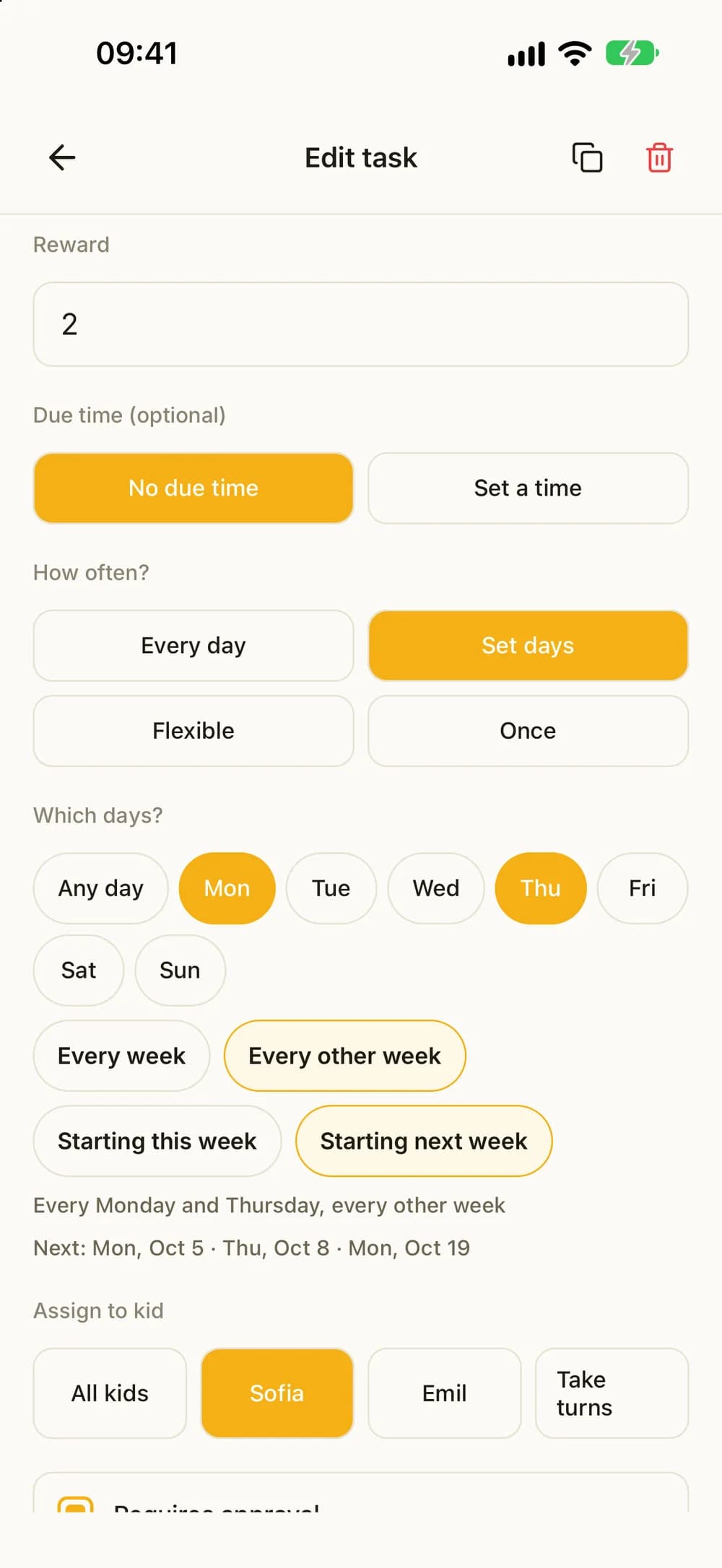
- Fixed weekdays every other week, for kids who live in two homes. You choose whether it starts this week or next.
- Siblings can take turns on a chore. You choose who starts.
- First to do it takes it: one child takes the chore each day, and the others see who took it.
- Give a day off, skip a single day, or hand one day to a sibling. Their streak stays safe.
- Kids can suggest a chore and what it should pay. You add it or say not now.
These examples show two kids with the Family plan.
Less nagging
Their own list for today.
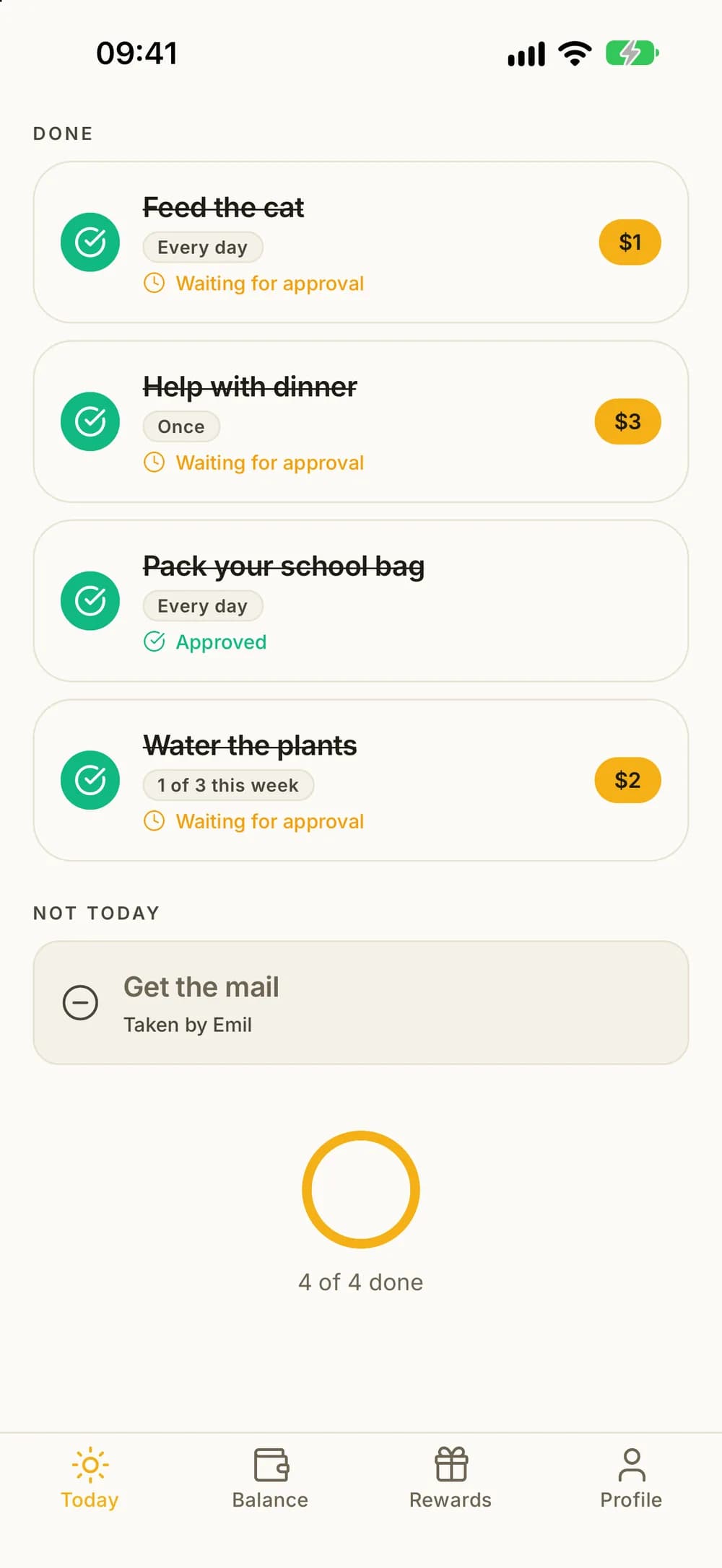
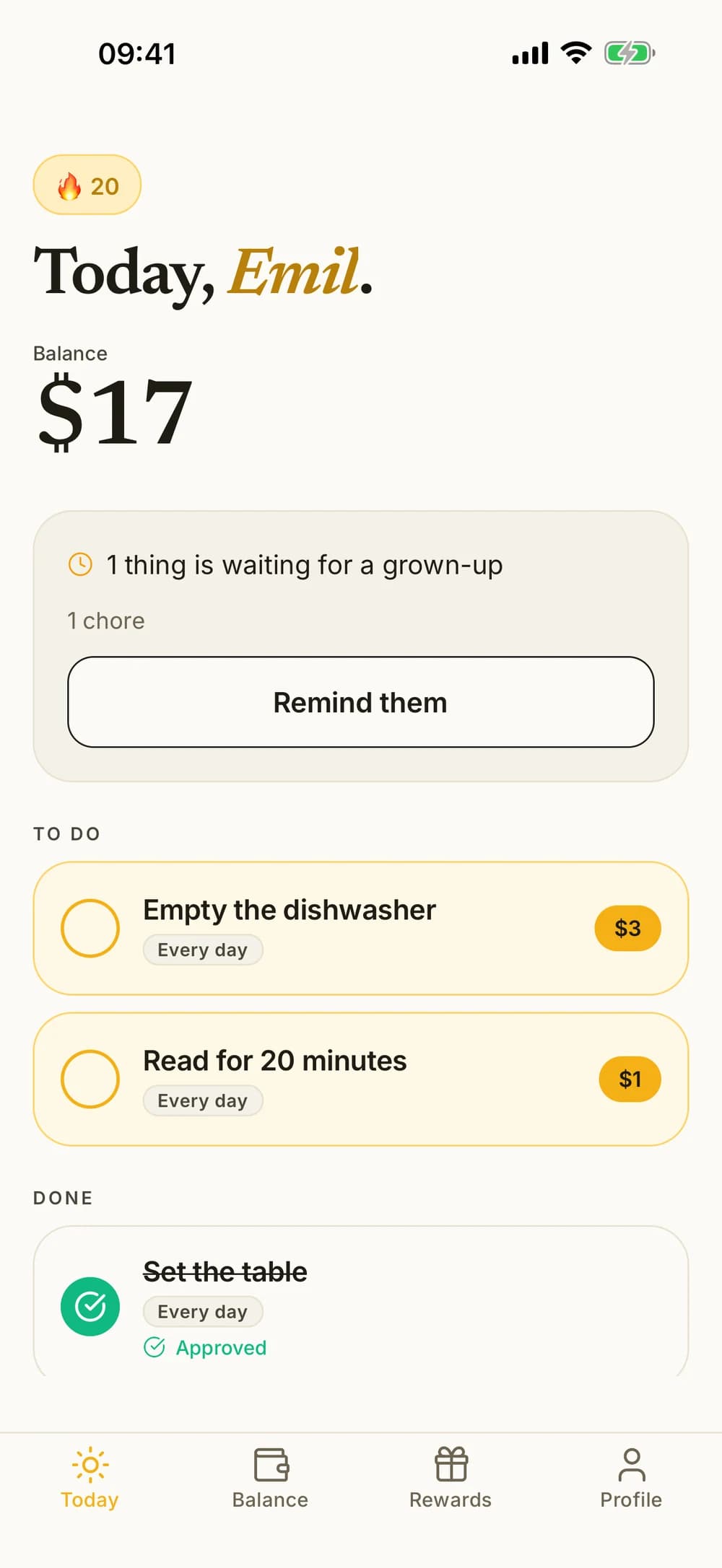
Your child opens Kroni and sees today's chores, their balance and what is waiting for a grown-up. The list does the reminding, so you don't have to.
- They tap the circle when a chore is done.
- If something is waiting for you, they can send you a reminder, at most once every four hours.
- Optional chore reminders between 8 am and 9 pm, no more than two a day. You can turn them off for each child.
Approve and pay
Approve it, and it's on their balance.
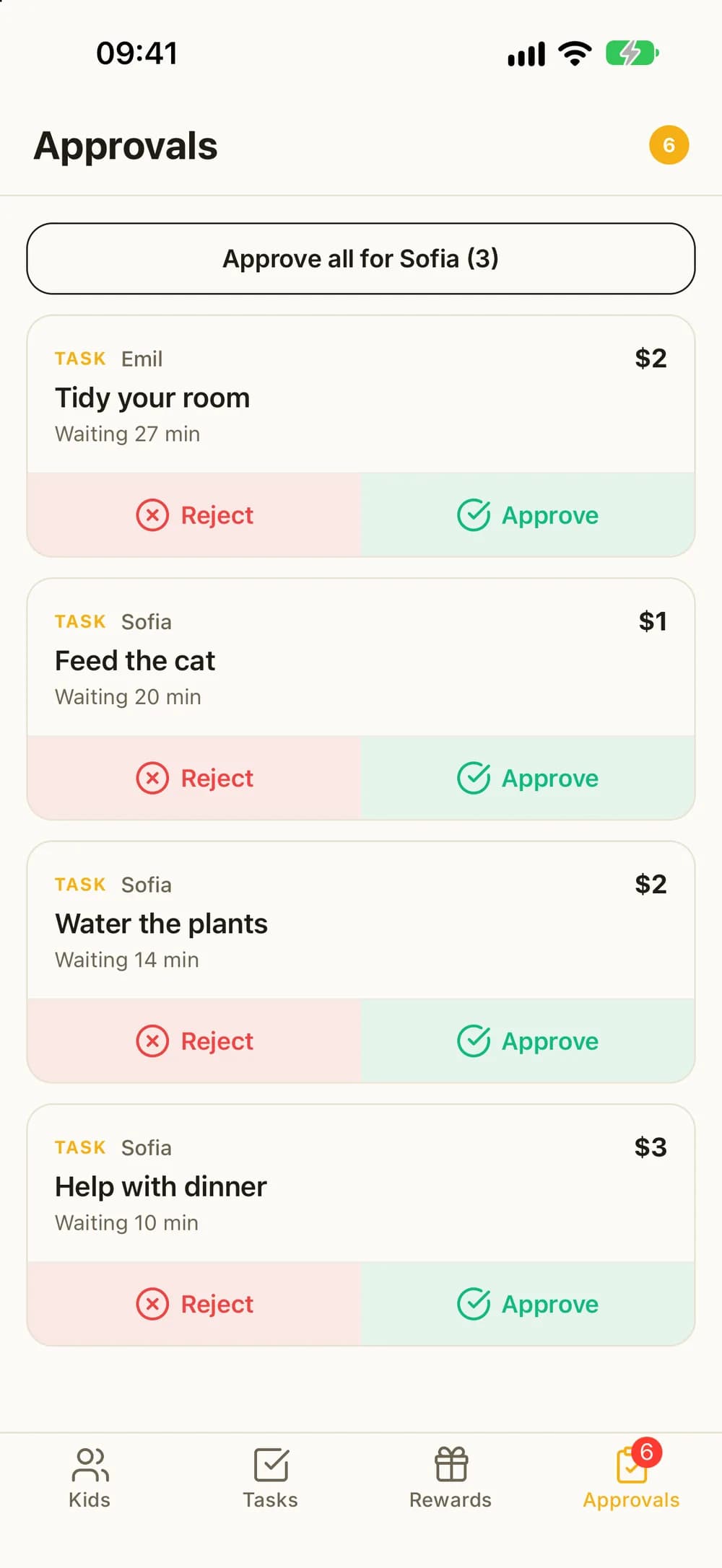
When a chore needs your OK, it waits in one list. Approve it and the money is added to their balance right away. If it needs another go, send it back.
- Everything waiting from every child, in one place.
- Approve all of one child's chores with a single tap.
- See the photo when a chore asks for photo proof.
- Changed your mind? You can undo an approval within 24 hours.
- Mark a chore done for one or more kids yourself, and it's credited right away.
- Did your child forget to tap it? Record the chore for yesterday or the day before.
- Both parents can approve from their own phone.
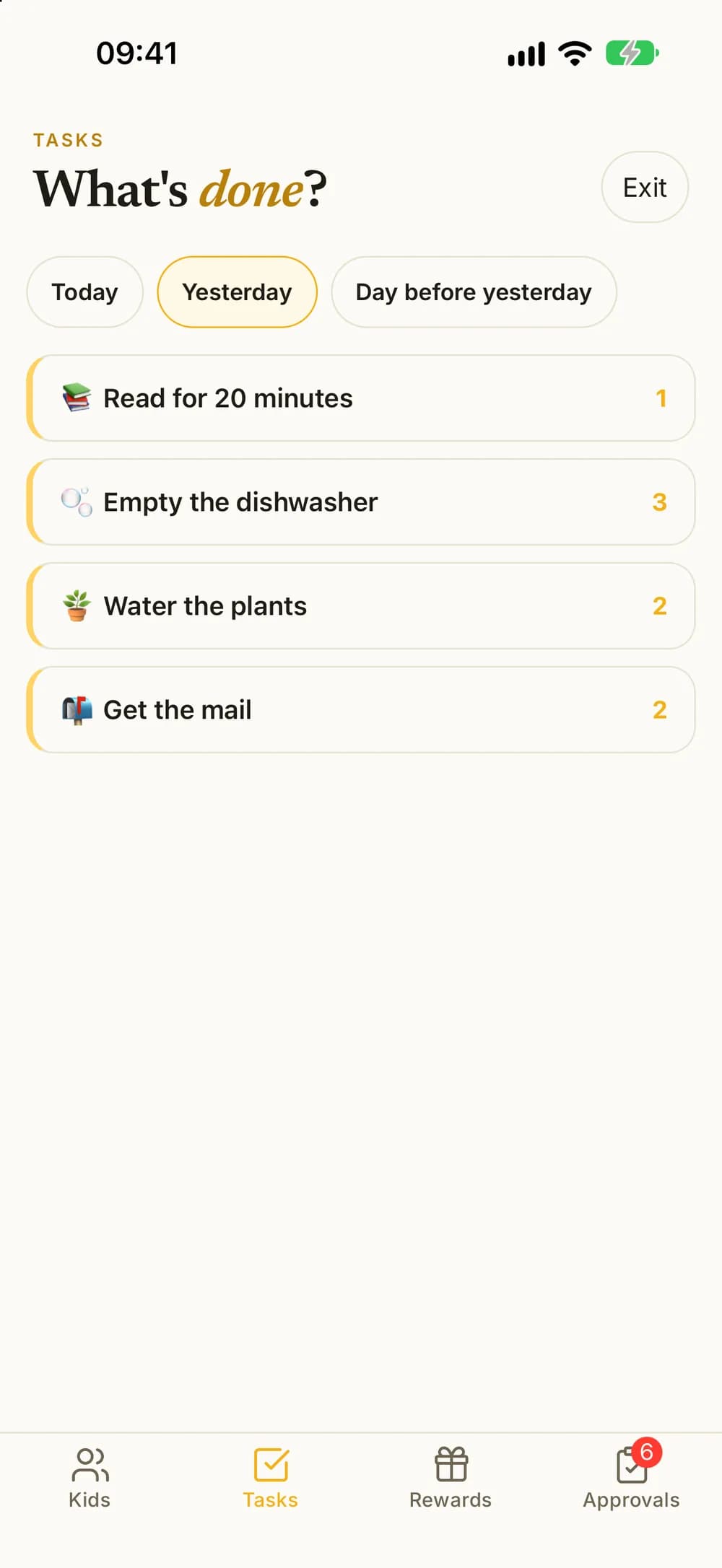
No phone needed
Works without a phone for your child.
Your child doesn't need a phone of their own. Use the family phone or a tablet, or connect their own device when you're ready.
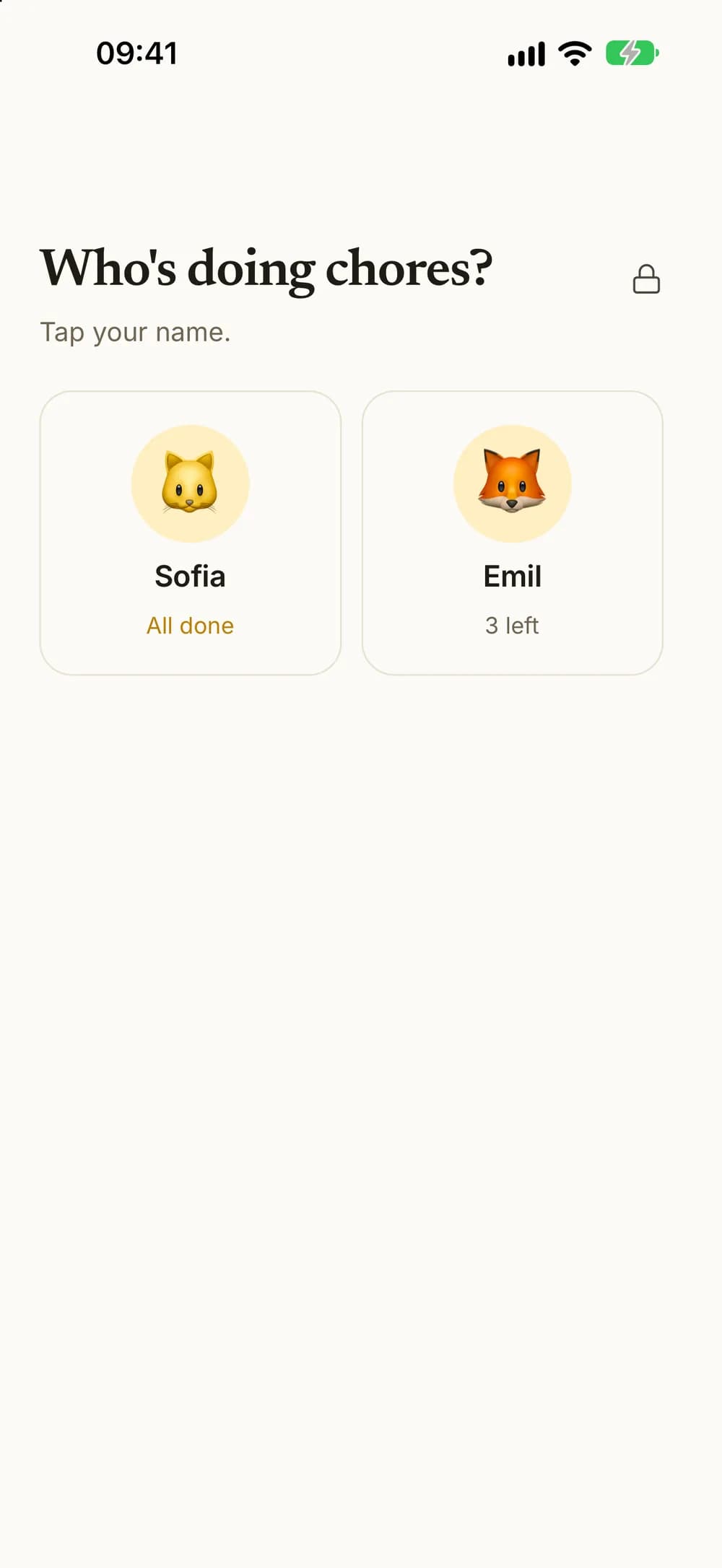
- Switch to your child's profile on your phone. Handing it over locks the parent side.
- Get back to the parent side with Face ID or your fingerprint.
- When kids share one phone or tablet, Kroni starts with an overview of how many chores each child has left.
- Connect your child's own phone or tablet with a code, a QR code or a link.
- Your child needs no email address or account of their own.
This example shows two kids with the Family plan.
Rewards and wishes
Something to look forward to.
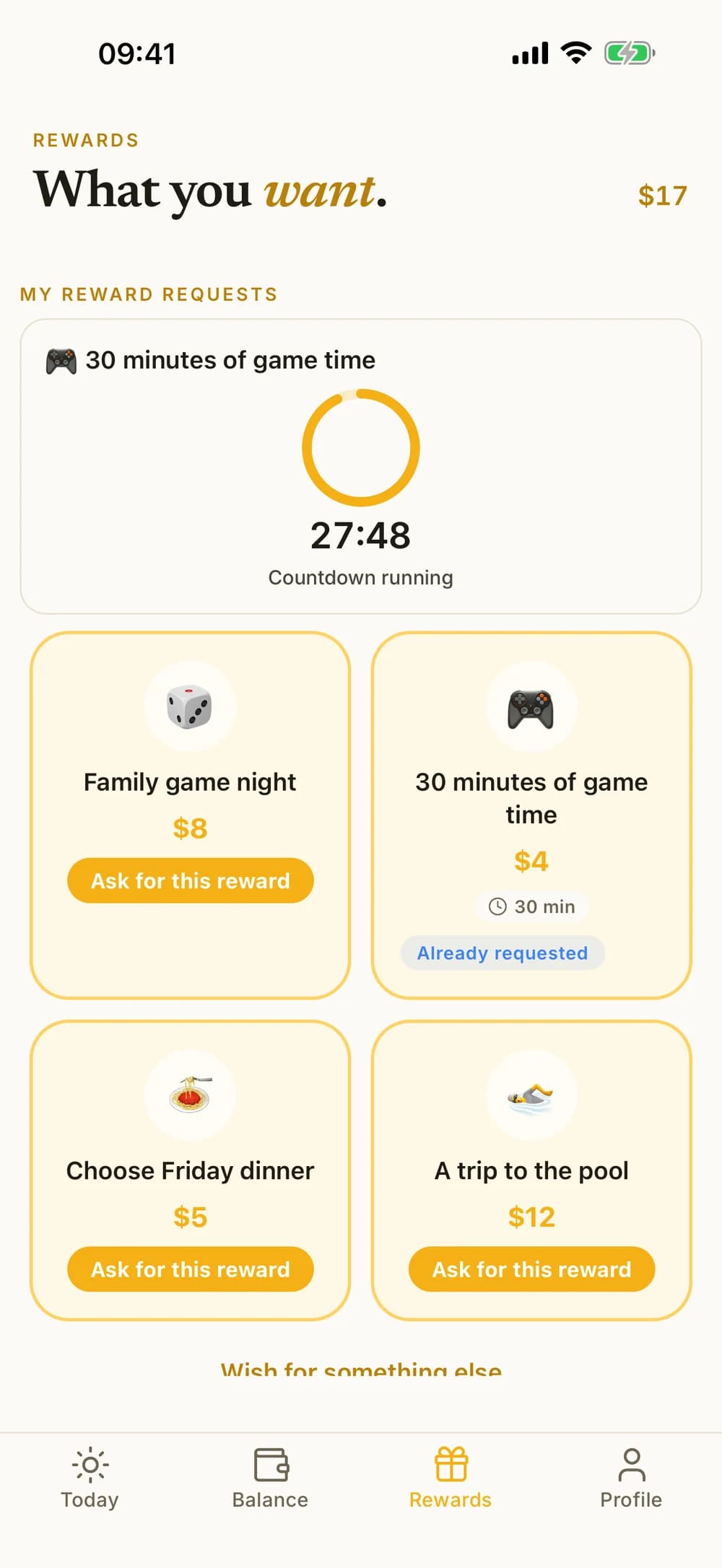
Create rewards that fit your family, like a movie night or extra game time. Your child asks for one with their balance, and you approve it and hand it over.
- Rewards for one child or the whole family, with ready-made ideas to start from.
- Kids can wish for a reward you haven't added yet.
- Timed rewards get a countdown from 5 minutes to 8 hours. Kroni doesn't block other apps.
- On iPhone, the countdown also shows on the Lock Screen.
Allowance and savings
Allowance, savings goals and a family pot.
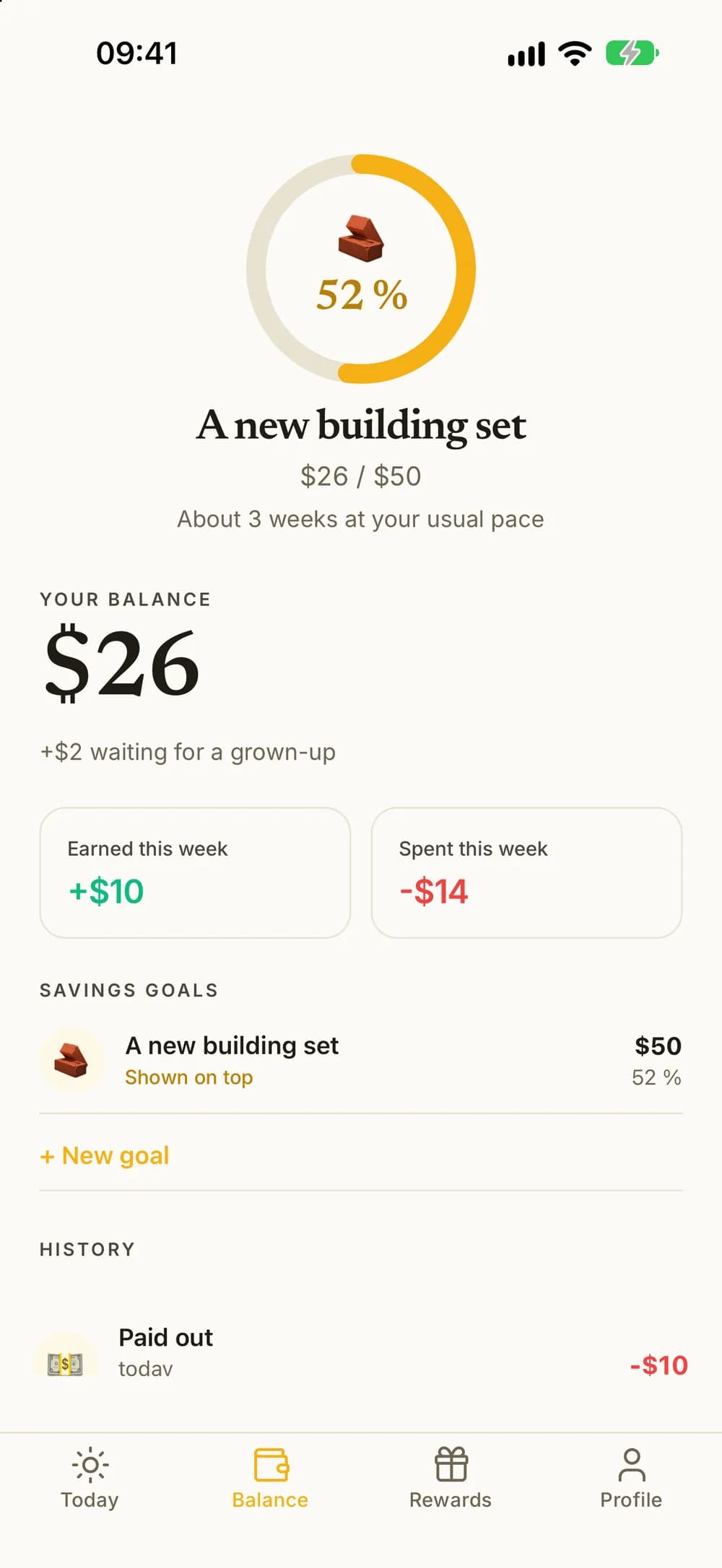
Set up a regular allowance if you want one, and help your child save toward something bigger. Kroni keeps the books and never moves real money.
- Allowance every week, every other week or every month. You see the next payday before you save.
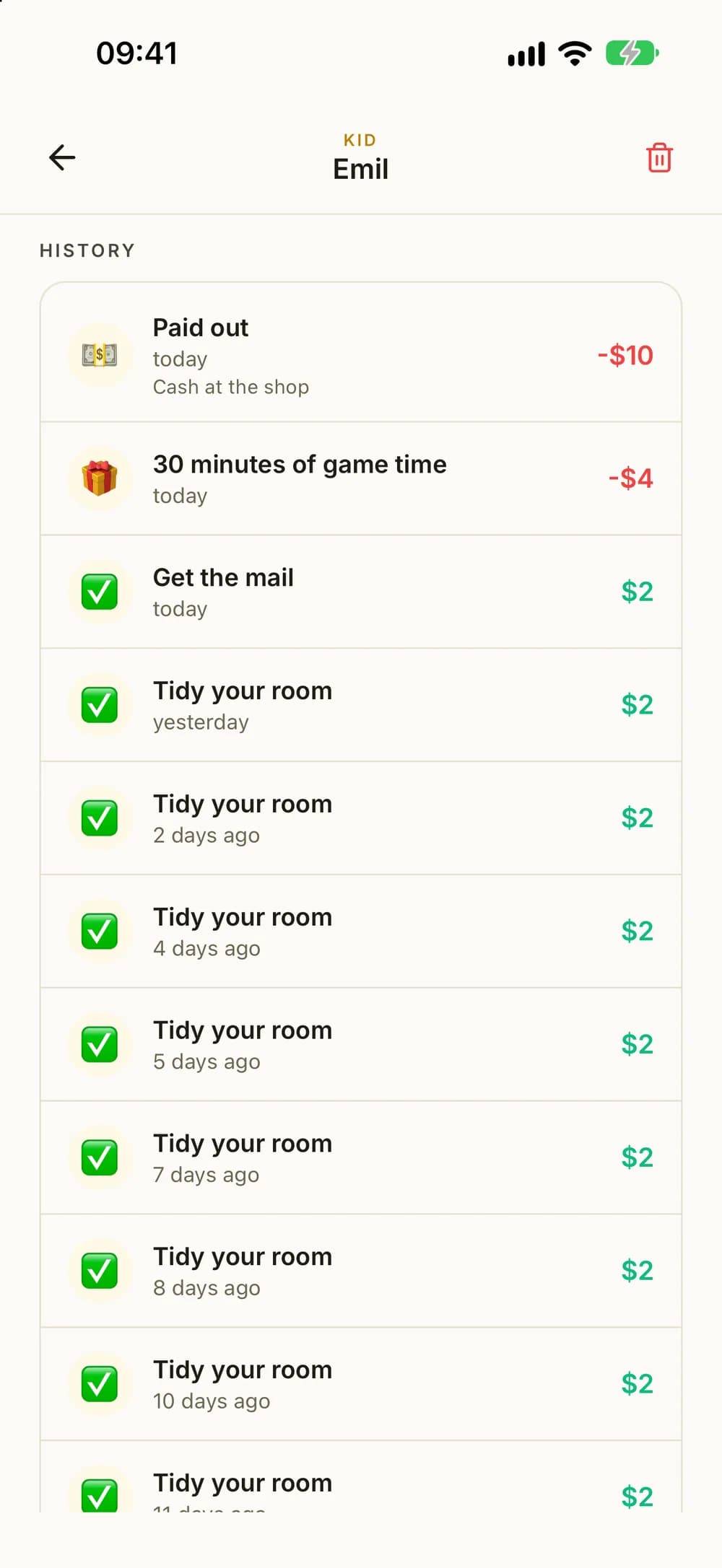
- Add a little extra or take some off, with a note. When you take money out because you paid them, it shows as Paid out in their history.
- Several savings goals that fill up from the balance as your child earns, with about how many weeks are left at their usual pace. Your child can pick one to show.
- Your child can also put money into a goal, and you can promise to add a percentage of it.
- Kroner, dollars or another currency, or points, stars and stickers.
- With a family tax, part of what the kids earn goes to a family pot.
Weekly goals
A goal for the week, and a good way to close it.
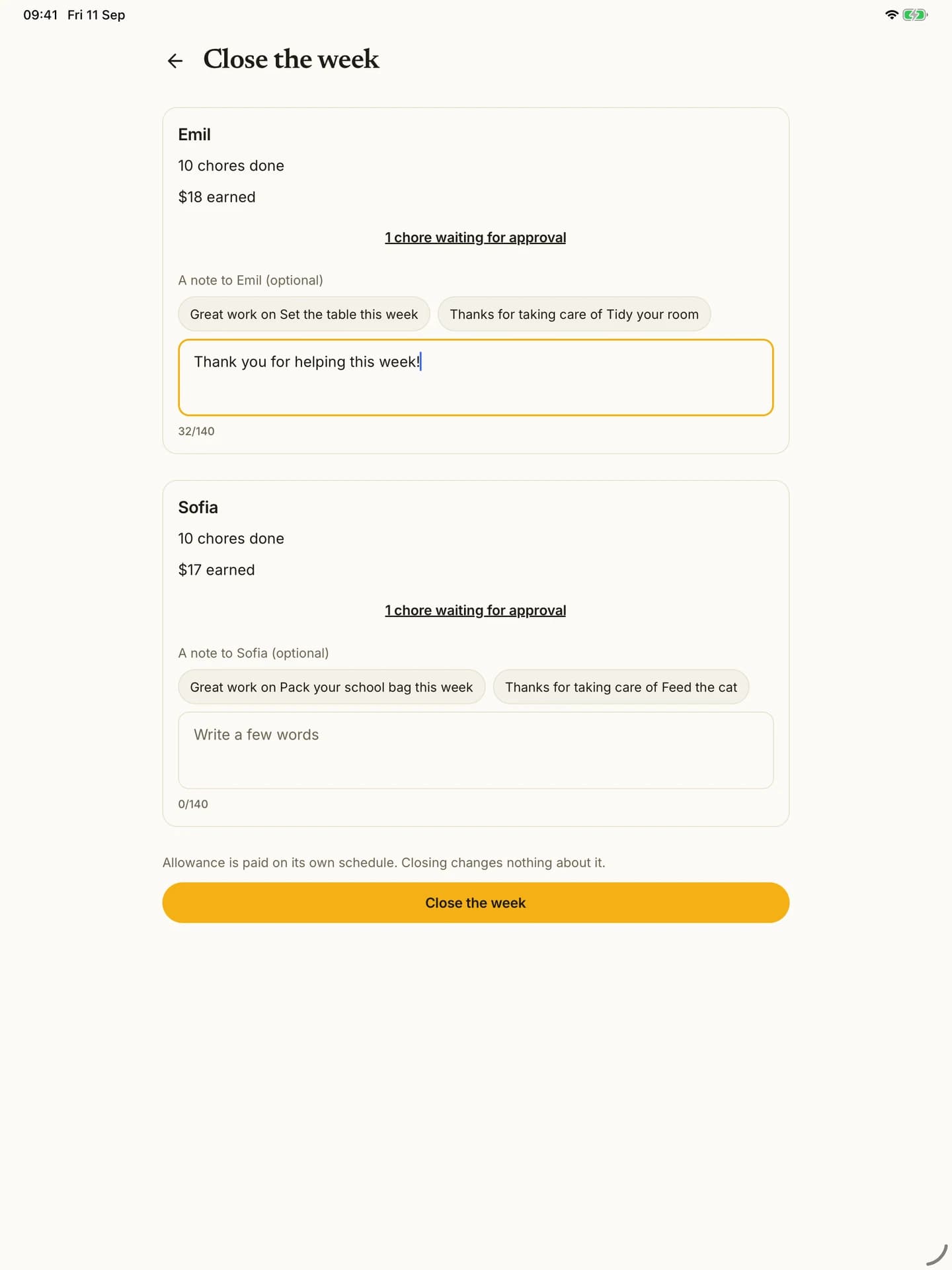
Give each child a weekly goal to work toward, then look back on the week together.
- A weekly goal for each child, with an optional bonus when they reach it.
- Streaks with one freeze a week, badges and a family challenge with a shared prize.
- Close the week with a note to each child, and share a summary. Amounts can be hidden.
Focus mode
One step at a time.
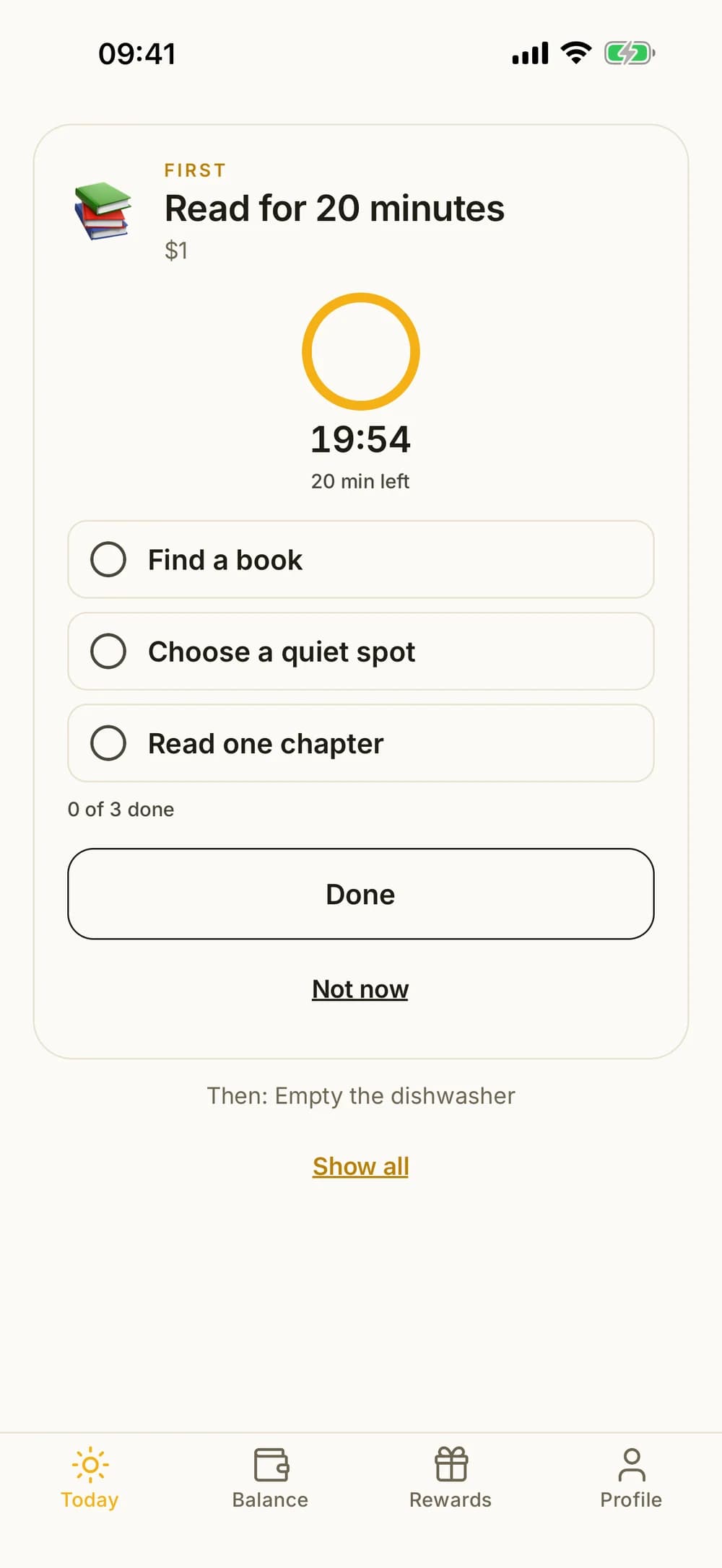
Some chores are easier in small steps. Focus mode shows one chore at a time, with the steps you wrote and an optional countdown.
- Up to eight steps per chore, written by you.
- A countdown from 1 to 120 minutes when it helps.
- Read aloud: the device's own voice reads the chore and its steps. Good for kids who are still learning to read.
The whole family
One family, one plan.
Invite your partner so you can both follow along and approve. The Family plan covers the whole household, not one child at a time.
- Invite a co-parent with a code, a link or a text. You share the family and the plan.
- Free to download. The free version covers one child and five active chores.
- The Family plan unlocks unlimited kids and chores, at one price for the whole family.
- On iPhone, widgets show your child's day and what is waiting for you.
- English, Norwegian, Swedish and Danish, with high contrast, larger text and screen reader support.
Start with one chore.
Download Kroni, add your child, and find one small agreement you'd like to try together.